AI HyoGo
AI 효고 바둑 · Go (baduk)
Play Go against the KataGo AI, running on your phone even without the internet, at 7 skill levels from amateur beginner to top professional
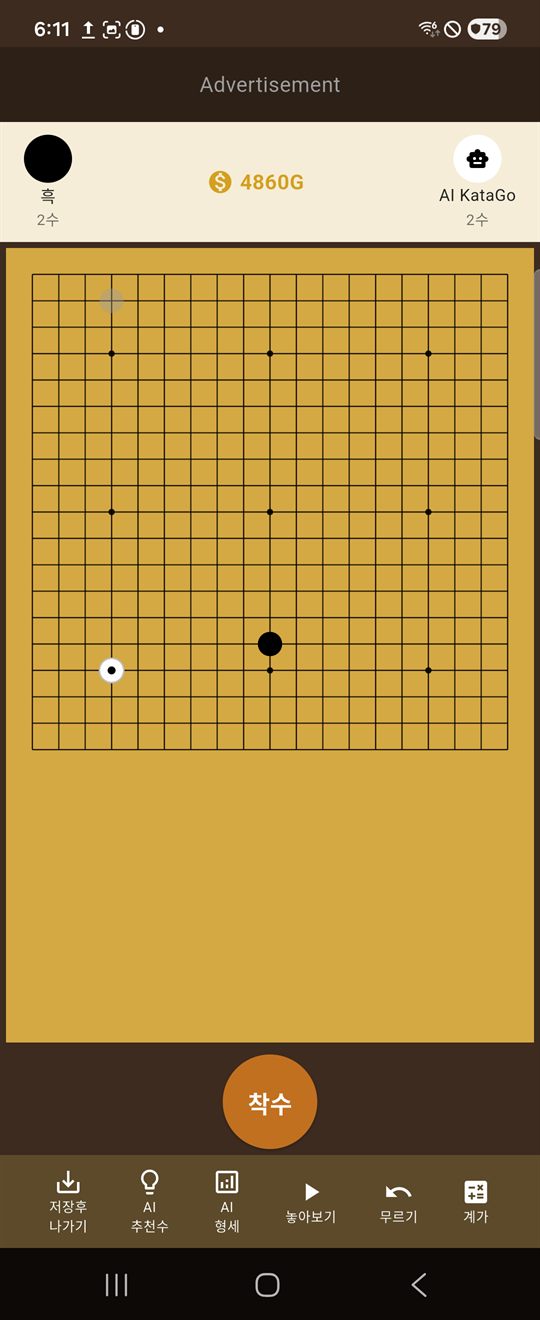
AI HyoGo has KataGo, a world-class open-source Go engine, built right into the app. The AI calculates its moves on your phone, not on a server, so you can play a game against it even where there is no internet, like on the subway or on a plane. Learn during games with AI move suggestions and position evaluation, save finished games as SGF records to review later, and sharpen your reading with tsumego.
Features
What AI HyoGo can do
From games against the AI to reviewing them and life-and-death training, everything you need to improve at Go on your own is gathered in one app.
-
KataGo AI that runs on your device
The KataGo engine and neural-network models (b10c128 for amateur levels, b18c384nbt for professional levels) are built into the app, so the AI calculates its moves directly on your phone. Games against the AI need no internet connection, and game content is never sent to a server.
-
7 skill levels × weak/medium/strong
Choose from 7 levels, from amateur beginner (5–9 kyu) to top professional (8–9 dan and above), then pick weak, medium or strong within each level, for 21 different opponents in all.
-
Set up games your way
Play on 19, 17, 15 or 13-line boards, choose black or white, and play even games (komi 6.5 or 7.5), no-komi games or 2–9 stone handicap games. You can also choose opening games that stop at 50 moves, and a time limit of 5 minutes plus 30-second byo-yomi (1–3 periods).
-
AI move suggestions · AI position evaluation
When you are stuck, the AI shows the best move it has found on the board, and it analyzes the current position to tell you which side is ahead. Each use costs 100G.
-
Undo · Try-out mode · Scoring
Take back the move you just played, test variations freely in try-out mode, then return to the original sequence. When the game ends, scoring counts the territory.
-
기록실 (Records): save, review and resume games
Finished games, and even unfinished ones, are saved automatically on your device as SGF records. In Records you can browse them by full and opening games, review them move by move, or pick up where you left off with the “이어서” (Continue) button.
-
Beginner, intermediate and advanced tsumego
Train your reading with life-and-death problems by level. Solved problems and the number of wrong answers for each problem are recorded, so you can see at a glance how far you have come.
-
Keep it light with coins (G)
You start with 3,000G; a game costs 300G and a hint costs 100G. Top up with the daily gift (+900G), wins (+150G) and rewarded ads you watch only when you want to (+600G). There are no cash payments.
-
Stone sounds like real Go stones
KaTrain’s stone sounds bring out the feel of placing a stone. No sound plays when the device is in silent or vibrate mode.
AI Levels
Seven levels of AI strength
Levels 1–4 use the amateur model and levels 5–7 use the professional model. At higher levels, the “강” (Strong) setting takes longer for the device to calculate each move.
| Level | Name | Approximate rank | Engine model |
|---|---|---|---|
| 1 | 아마 하급 (Amateur beginner) | Amateur 5–9 kyu | Amateur (b10c128) |
| 2 | 아마 중급 (Amateur intermediate) | Amateur 1–4 kyu | Amateur (b10c128) |
| 3 | 아마 상급 (Amateur advanced) | Amateur 1–3 dan | Amateur (b10c128) |
| 4 | 아마 고단 (Amateur high dan) | Amateur 4–7 dan | Amateur (b10c128) |
| 5 | 프로 입단 (Professional entry) | Professional 1–3 dan | Professional (b18c384nbt) |
| 6 | 프로 상위 (Upper professional) | Professional 4–7 dan | Professional (b18c384nbt) |
| 7 | 프로 최상위 (Top professional) | Professional 8–9 dan and above | Professional (b18c384nbt) |
Approximate ranks are a rough guide to help you choose a level and are not the same as official ranks. Combinations that take 30 seconds or more per move cannot be used with the byo-yomi time limit and can only be chosen with “시간제한 없음” (No time limit).
Coins
Coins (G) at a glance
Coins are free points used only inside the app. They cannot be bought with money or exchanged for cash.
Spending coins
- Start a new game: 300G
- One AI move suggestion: 100G
- One AI position evaluation: 100G
Earning coins
- First install: 3,000G
- Daily gift (once a day): +900G
- Win against the AI: +150G
- Watch a rewarded ad (optional): +600G
Your coin balance is capped at 3,000G. Because the balance is stored only on your device, clearing the app data resets it to the starting state.
For You
Who it’s for
Players just starting to learn Go
Start with a 9-kyu AI and build real-game experience without pressure on the small 13-line board and in handicap games. When you are stuck, AI move suggestions show you the way.
Anyone who wants a game with no opponent around
No waiting for another person and no logging in: play an AI at the strength you want, anytime. You can resume a paused game later.
Dan players and aspiring professionals
Take on an AI at top-professional level, train your opening sense with opening games (50 moves), and check your own judgment against the AI’s position evaluation.
Anyone who wants to sharpen their reading in spare moments
Solve a few beginner, intermediate or advanced tsumego at a time, and use your wrong-answer record to revisit your weak spots.
Privacy
How we handle your information
There is no sign-up or log-in, and ReOn Solution runs no server that receives records of your app use. However, the app includes the Google AdMob SDK for rewarded ads.
- Game records: date, result (including unfinished games), move count, AI level, board size, game type, komi, SGF record
- Coin balance and the date the daily gift was last claimed
- List of solved tsumego and the number of wrong answers per problem
Player names in game records are fixed as “Player” and “AI KataGo”, so the app never asks for your name. If Google backup is turned on for your device, this information may be backed up to your own Google account.
When you start the app, the Google Mobile Ads SDK initializes automatically and preloads a rewarded ad. In doing so, Google processes the following:
- Advertising ID (such as the Android advertising ID), IP address, device and app information
- Ad interactions such as impressions and clicks, SDK diagnostics
- On Android 13+: interest Topics and ad attribution (measurement) data
Your AI games, game records and tsumego records are never sent to the ads SDK.
FAQ
Common questions
Does it cost anything?
The app is free, and nothing in it is sold for money. Games and hints use free in-app coins (G), which you earn from the daily gift, win rewards and optional rewarded ads. Even if you never watch an ad, you can keep playing with the daily gift and win rewards.
Can I use it without the internet?
Yes. AI games, AI move suggestions and position evaluation, Records and tsumego all run on the device, so you can use them even in airplane mode. The only feature that needs the internet is loading rewarded ads.
The AI takes a long time to make a move.
Because your device, not a server, does the AI calculation, a single move at higher levels (especially “강” (Strong) at levels 5–7) can take over a minute, depending on device performance. For faster games, try “약” (Weak) or “중” (Medium) at the same level. Battery use and heat may increase while the AI is calculating.
Where are my game records and other data stored? What about backup and deletion?
All records are stored in the app’s private storage on your device. They are not stored on ReOn Solution’s servers, so when you change devices, they can only be moved through Android’s Google backup and restore. You can delete game records one at a time with the trash icon in Records, and all data is deleted when you clear the app’s data in Android settings or uninstall the app. For details, see the Account & Data Deletion guide.
What permissions does it use?
It does not request location, camera, microphone, contacts, photos/files or notification permissions. The internet and network-state permissions and the advertising ID permissions are used by the Google ads SDK for rewarded ads. All of them are normal permissions granted automatically at install, so no permission prompt appears. The purpose of each permission is set out in the Privacy Policy.
Do I need to sign up?
No. There are no accounts or log-in, so the app never asks for your email or phone number. Install it and you can start a game right away.
Where can I report a bug or ask a question?
Please email [email protected]. Including your device model, Android version and the screen where the problem occurred helps us look into it faster. Depending on the app version, the contact information inside the app may show a different address, but the official contact is [email protected].
Credits
The open source behind the app
AI HyoGo was made possible by the open-source projects below. The full notices are in the app under 더보기 (More) › 오픈소스 라이선스 (Open-source licenses).
| Component | Purpose | License |
|---|---|---|
| KataGo | Go AI engine | Apache License 2.0 |
| KataGo neural-network models | AI strength (amateur and professional models) | CC BY 4.0 |
| sanderland/tsumego | Tsumego problem data | MIT License |
| KaTrain | Stone sounds | MIT License |
Policy documents
Privacy Policy
Explains what information is stored where, and what the Google ads SDK processes.
Terms of Service
The conditions for using the app, including coins, ads and the limits of AI analysis.
Account & Data Deletion
Step-by-step instructions for deleting device data and backups in an app that has no accounts.